.png)
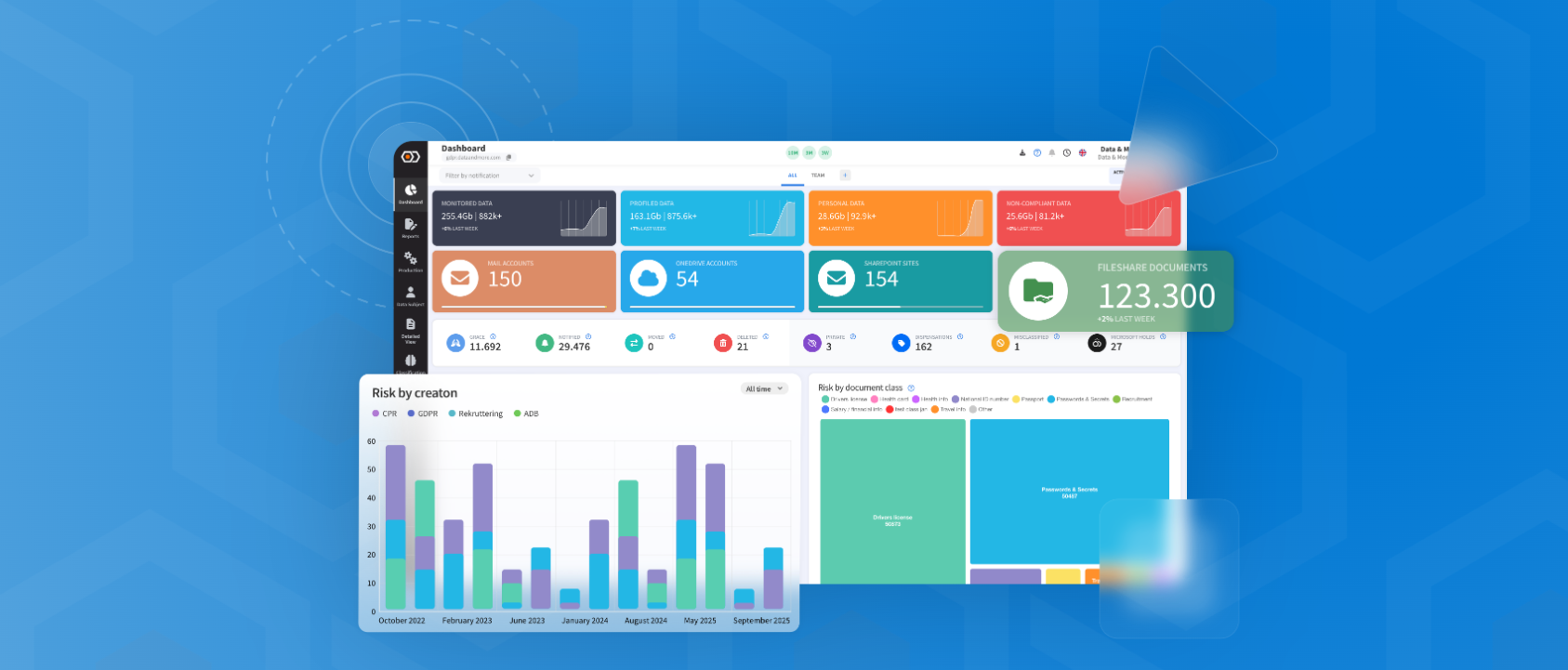
Public Release Date 01.2.2026 | Covers changes to 24.2.X and up
*version 25.1.1 skipped to match physical year
This update introduces both major and minor new features as well as some optimizations and bug fixes.
Overview
-
Data Owner Manager - how to handle “dark personal data."
-
DAM AI-Explanations
-
Preview
-
Fileshare and Graph 3-5X speed
-
Dashboard Cashing
Bugfixes
Overview
Version 26.1.x of the Data & More Privacy and Security platform introduces new capabilities and improvements across governance workflows, SharePoint/Exchange reporting, ingestion performance, and end-user usability.
The primary goals of this release range are:
- Strengthen governance by improving visibility and assignment of ownership for unstructured data
- Improve trust and transparency in classification workflows
- Increase ingestion stability and throughput in large Microsoft environments
- Improve reporting workflows and dashboard responsiveness
Key highlights include improved SharePoint ownership support (including custom owners), new “orphan” visibility controls, improved policy/report settings UX, and better search reliability.
New Features
Data Owner Manager - how to handle "dark personal data".
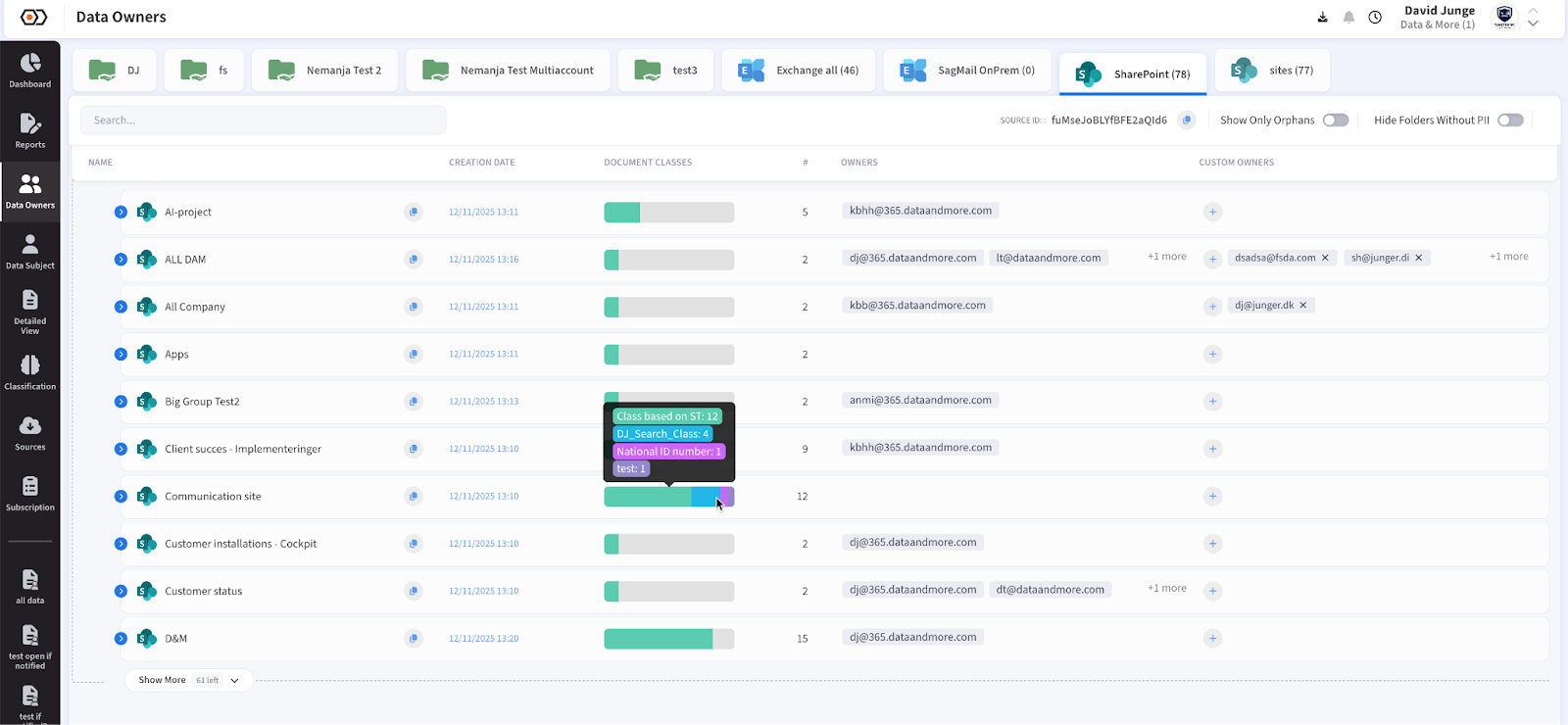
More often than not, file shares and SharePoint sites contain personal data dumped by colleagues who are no longer working in the organization. These unmanaged datasets are often “dark personal data”: business-relevant, high-risk, and lacking clear accountability. In a breach scenario, this type of unmanaged data can become a major liability.
The Data Owner Manager feature is designed as a cornerstone tool to strengthen governance and accountability across large unstructured datasets. It enables administrators to systematically assign clear ownership to previously unmanaged data assets, reducing ambiguity and improving compliance posture.
Key capabilities:
- Central Data Owners page for ownership administration and audit workflows
- Advanced filtering to narrow down large datasets and focus on specific scopes
- UX optimized for speed and clarity to support large-scale governance operations
In addition, this release range improves governance visibility for Microsoft sources:
- SharePoint ownership handling is improved via support for “custom owners” and related reporting logic
- Orphaned content visibility is improved via dedicated filters (e.g., “Only Show Orphans”) to help identify unmanaged areas faster
DAM AI-Explanations
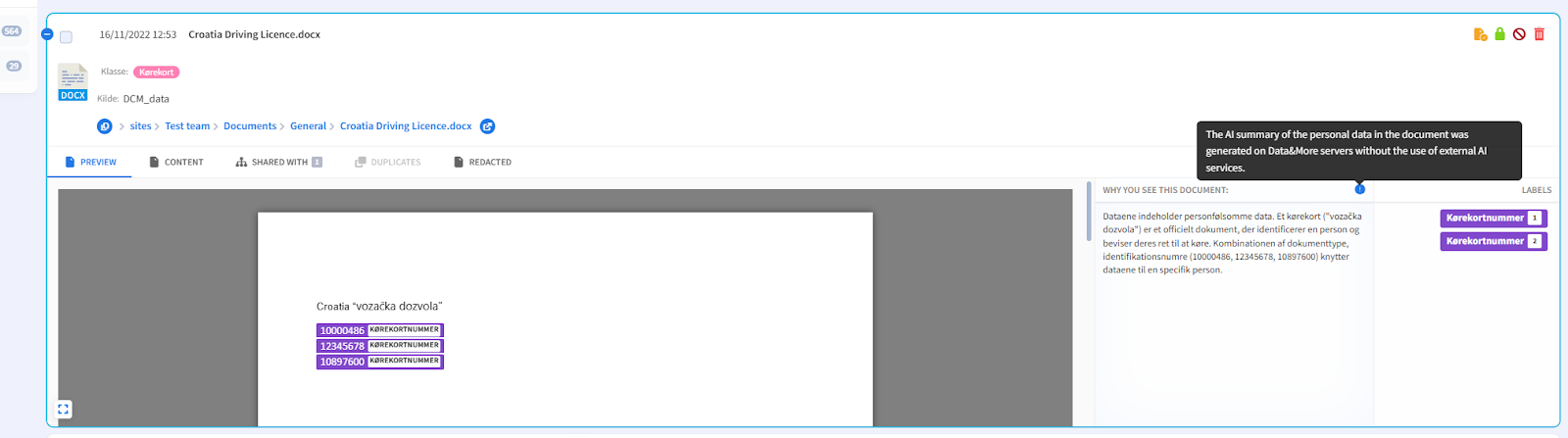
TA common workflow challenge is that documents marked as “misclassified” by end users are often not misclassified — instead, users may not be aware that a given document contains personal data signals.
To help end users and administrators better understand classification outcomes, Data & More introduces AI-generated explanations that clarify why a document is classified as personal data. It is important to note that AI is used for explanation only and is not used as the classification engine.
Security and compliance design:
- AI explanations are generated in Data & More’s hosting environment in Germany
- No customer data is used to train external models
- No data leaves the EU
In addition, search and investigation workflows were improved by fixing issues where special characters were not handled correctly in source document searches.
Preview
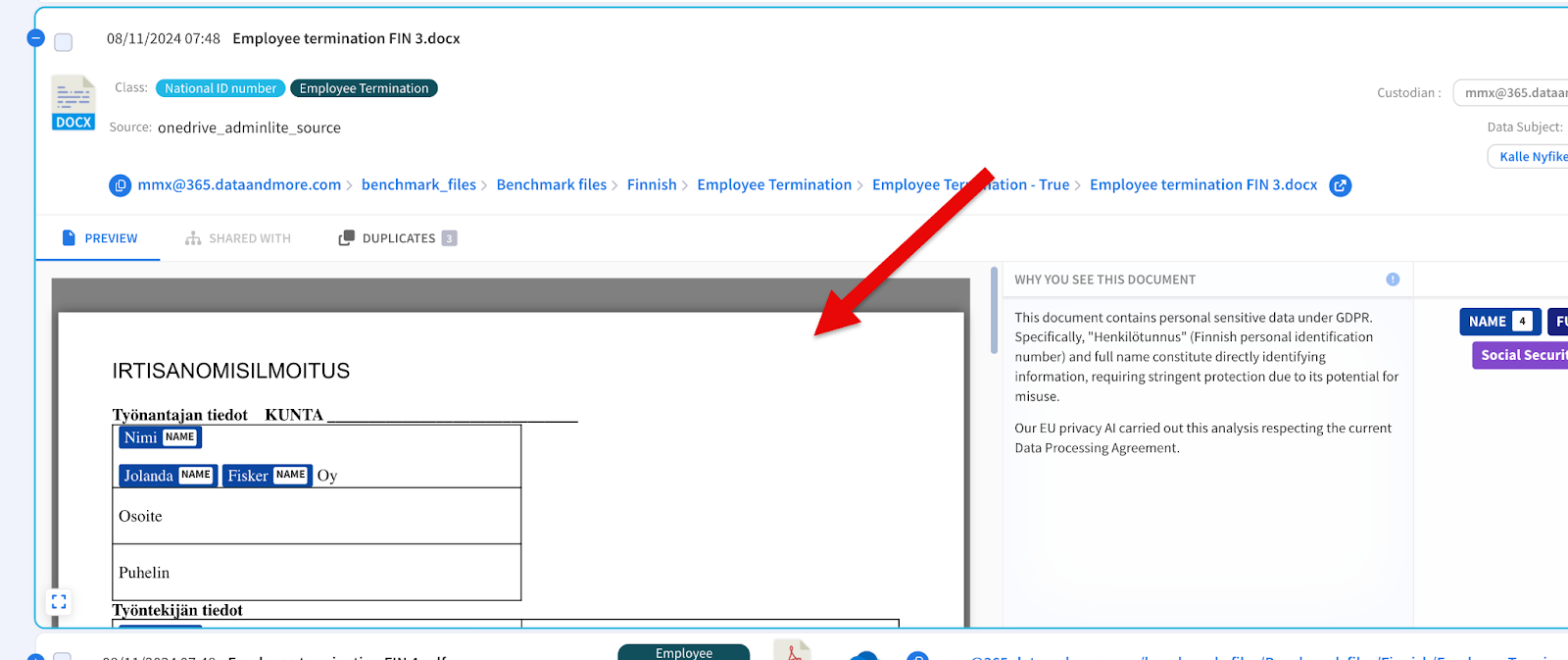
Preview and report workflow usability have been improved. The platform now supports enabling the Preview tab and disabling the Content tab by default in policy report settings. This improves clarity for end users and reduces confusion in report configuration workflows.
In addition, dataset preview functionality was improved to display content in a more readable and accurate format. Previously, only a text representation was shown. Now the platform loads a preview directly from the data source and preserves formatting for better review.
Improvements
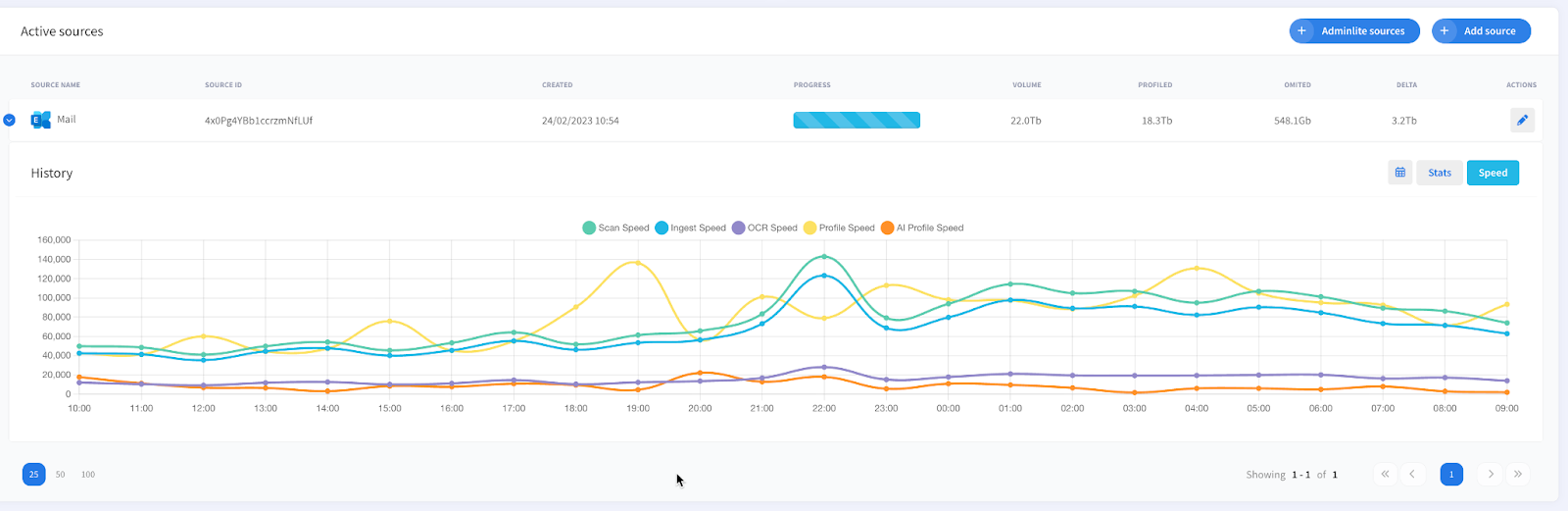
Fileshare and Graph 3-5X speed
Scanning and ingestion speeds for Microsoft sources have been significantly improved through algorithmic optimizations and stability fixes.
Notable improvements include:
- Graph ingestion stability improvements via max file size limits for SharePoint and OneDrive, preventing out-of-memory ingestion failures
- Support for personal tokens in Graph authentication, and fixes for ingestion scheduling issues for non-personal sources
Expected impact:
- Faster ingestion cycles and improved profiling throughput
- Higher reliability for very large tenants
- Reduced ingestion interruption frequency caused by extreme file sizes
Dashboard Caching
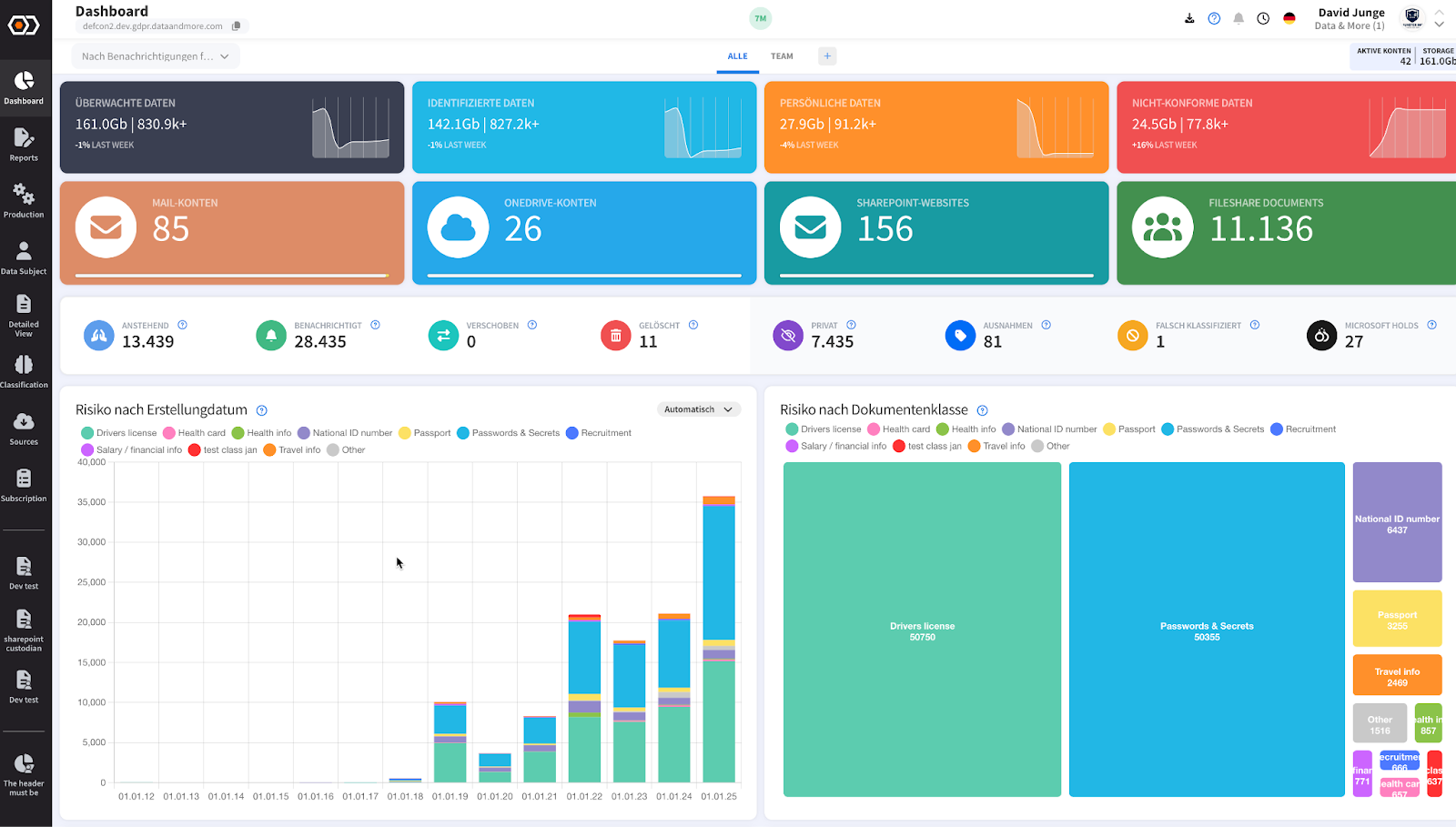
Dashboard caching and dashboard behavior have been improved to reduce “second load” time and increase responsiveness.
Additional improvements include:
- Persisting dashboard settings to improve consistency across sessions
- Client-side stability improvements, including improved error handling and reduced runtime failures in reporting and production workflows
These improvements are particularly relevant for large customers where dashboards and filters operate over very high document counts and large aggregations.
Bugfixes
This release range includes multiple bug fixes and stability improvements across the platform.
Highlights include:
- Search and investigation
- Fixed special characters not working correctly when searching source documents, improving reliability in enterprise datasets with non-alphanumeric file names and international characters.
- SharePoint reporting and notification correctness
- Apply SharePoint settings when sending report emails
- Ensure the SharePoint blacklist is always applied
- Implement “first owner” SharePoint notification setting
- Improvements to SharePoint coverage calculation and reporting alignment
- Platform stability
- Improved stability and error handling across reporting workflows and production views, reducing runtime errors and improving system robustness at scale
*And number of other minor improvements and tweaks.
— The Data & More Team